We wrote this so you can see how the topic works in practice. You can read it from anywhere. If you want lab practice next, we will help you pick a course in counselling.
Cloud Computing Explained in Simple Terms
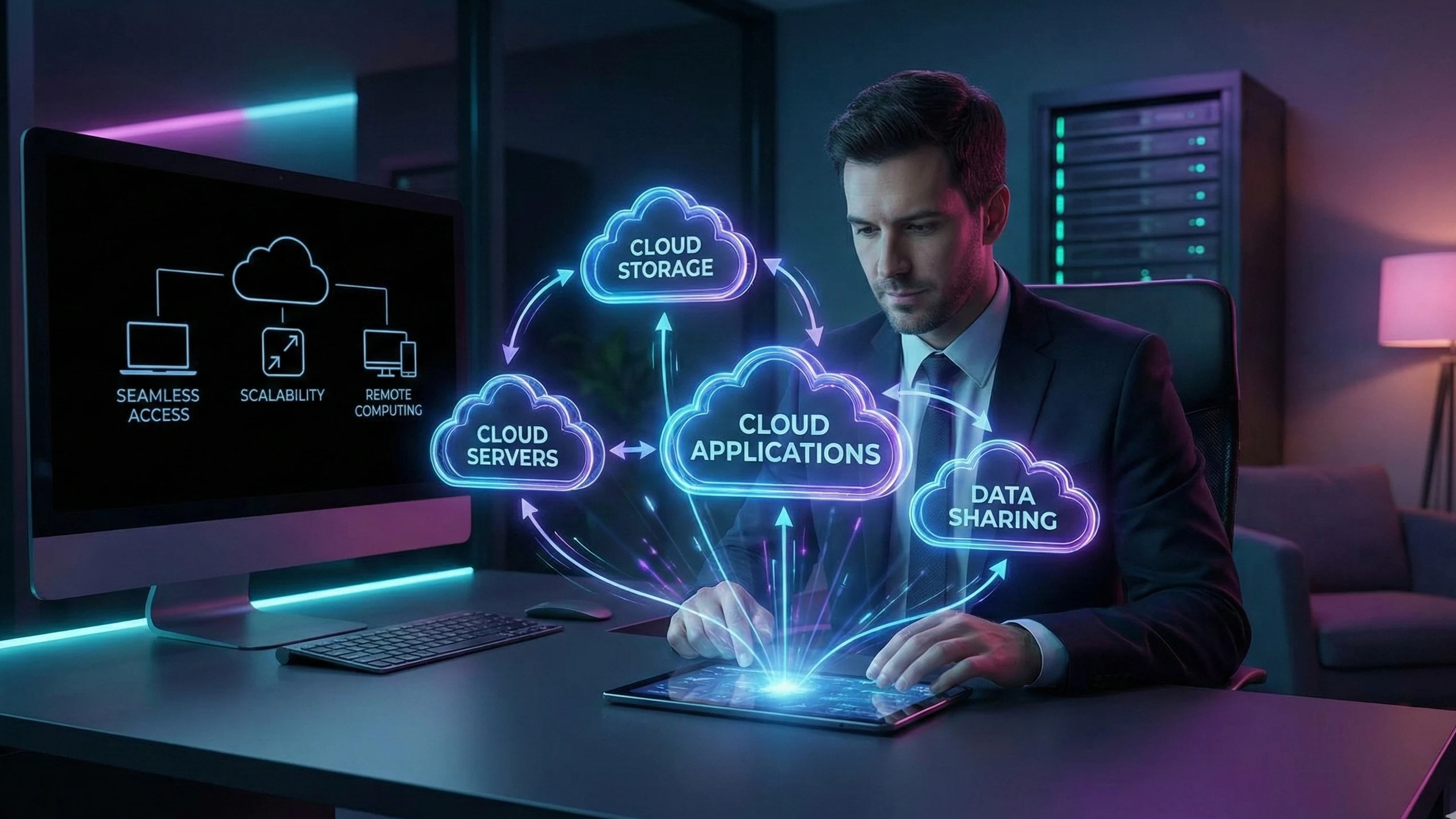
Cloud computing is a technology that allows individuals and businesses to store, manage, and process data over the internet instead of on local computers or servers. In simple terms, it’s like renting computing resources from a service provider rather than owning physical hardware.
1. How Cloud Computing Works
Remote Servers: Data and applications are hosted on powerful remote servers.
Internet Access: Users can access files, software, and services from anywhere using the internet.
Resource Sharing: Multiple users can share the same computing resources efficiently.
Example: Google Drive lets you store files online, access them from any device, and collaborate with others in real time.
2. Key Characteristics of Cloud Computing
On-Demand Access: Users can use computing resources whenever needed without waiting for setup.
Scalability: Resources can be increased or decreased based on demand.
Cost Efficiency: Pay only for what you use, reducing infrastructure costs.
Reliability: Cloud providers offer backup, redundancy, and uptime guarantees.
3. Types of Cloud Computing
Public Cloud: Services hosted by third-party providers (e.g., AWS, Azure, Google Cloud). Accessible to anyone.
Private Cloud: Dedicated infrastructure for a single organization. Offers more control and security.
Hybrid Cloud: Combines public and private clouds for flexibility and scalability.
4. Benefits of Cloud Computing
Accessibility: Access applications and data from anywhere, anytime.
Collaboration: Teams can work together in real-time.
Automatic Updates: Software and security updates are managed by the provider.
Disaster Recovery: Data backup and recovery are simpler and more reliable.
5. Real-World Examples
Streaming Services: Netflix and Spotify store content in the cloud for global access.
Online Storage: Dropbox, Google Drive, and OneDrive allow file storage and sharing.
Business Applications: Salesforce and Microsoft 365 provide cloud-based productivity tools.
Types of Cloud Services
Types of Cloud Services
Cloud computing provides various services that cater to different business and individual needs. These services are categorized based on what they offer and how they are used. Understanding these types helps students and professionals leverage the right solutions effectively.
1. Infrastructure as a Service (IaaS)
Description: Provides virtualized computing resources over the internet, such as servers, storage, and networking.
Use Case: Companies can rent computing infrastructure without investing in physical hardware.
Examples: Amazon Web Services (AWS), Microsoft Azure, Google Cloud Platform (GCP)
Benefits: Scalable, cost-effective, flexible, and reduces maintenance efforts.
2. Platform as a Service (PaaS)
Description: Offers a platform that includes infrastructure, development tools, and an environment for building, testing, and deploying applications.
Use Case: Developers can focus on writing code without worrying about hardware or OS management.
Examples: Heroku, Google App Engine, Microsoft Azure App Services
Benefits: Accelerates development, simplifies deployment, and supports collaboration.
3. Software as a Service (SaaS)
Description: Delivers software applications over the internet, accessible via web browsers without installation.
Use Case: Users can use applications without managing infrastructure or platforms.
Examples: Google Workspace, Microsoft 365, Dropbox, Salesforce
Benefits: Easy access, automatic updates, cross-device compatibility, and subscription-based pricing.
4. Function as a Service (FaaS) / Serverless Computing
Description: Allows developers to run small pieces of code (functions) without managing servers.
Use Case: Execute backend logic for applications on demand, triggered by events.
Examples: AWS Lambda, Google Cloud Functions, Azure Functions
Benefits: Pay only for execution time, scales automatically, and reduces operational overhead.
5. Storage as a Service
Description: Provides cloud-based storage solutions for data backup, archival, and file sharing.
Use Case: Store large amounts of data securely without managing physical drives.
Examples: Google Drive, Dropbox, Amazon S3
Benefits: Accessible from anywhere, secure, scalable, and cost-effective.
Advantages of Cloud Computing
Advantages of Cloud Computing
Cloud computing has revolutionized the way individuals and organizations store, access, and manage data. It provides numerous advantages that make technology more accessible, efficient, and scalable.
1. Cost Efficiency
Reduced Hardware Costs: No need to invest in expensive servers or storage devices.
Pay-As-You-Go: Users pay only for the resources they consume.
Lower Maintenance Costs: Cloud providers handle infrastructure maintenance and updates.
2. Scalability and Flexibility
Easily Scalable: Increase or decrease computing resources as per demand.
Flexible Access: Users can access data, applications, and services from any device and location.
Quick Deployment: Resources and services can be deployed rapidly without physical setup.
3. Accessibility and Collaboration
Remote Access: Employees, students, and teams can work from anywhere with an internet connection.
Real-Time Collaboration: Multiple users can work simultaneously on shared documents or applications.
Seamless Communication: Cloud tools enable easy sharing, feedback, and coordination.
4. Security and Backup
Data Protection: Cloud providers implement advanced security measures like encryption, firewalls, and multi-factor authentication.
Regular Backups: Data is automatically backed up to prevent loss.
Disaster Recovery: Cloud ensures quick recovery in case of hardware failure or natural disasters.
5. Automatic Updates and Maintenance
Managed by Providers: Software and security updates are handled automatically.
Reduced Downtime: Systems remain updated without interrupting user access.
Focus on Core Work: Users can concentrate on their tasks instead of infrastructure management.
6. Environmentally Friendly
Optimized Resource Usage: Cloud computing reduces unnecessary hardware and energy consumption.
Access to Advanced Technologies: Users can try AI, ML, IoT, and big data tools without heavy investment.
Rapid Prototyping: Developers can test and deploy new applications quickly.
Supports Startups and Businesses: Enables innovation without large upfront costs.
Who this is for
This is for students, job seekers, and working learners who want a clearer picture of the skill before they pick a course.
How we help you after you read
We help you see a career direction before you pick a course. You can start from where you are, including if you are new to IT. In lab we practise the role, not only names of tools. After a course, we stay with you until you get a job, based on your performance.
Share this article
What you can do next
If this topic is the skill you want to practise, we can map it to a course. Visit an Ahmedabad centre with your parents, or join through online admission if you live outside Ahmedabad.
Short answers about who this is for, what to do next, and how to talk to us.
Who should read Cloud Computing Explained in Simple Terms?
This is for students, job seekers, and working learners who want a clearer picture of the skill before they pick a course. You can read it from anywhere. If you want lab practice next, we will help you pick a course.
Do I need to visit Ahmedabad to use this article?
No, you can read it from anywhere. If you want to learn with us next, we warmly welcome you and your parents to visit one of our Ahmedabad centres — Maninagar, Nikol, or Vatva. If you live outside Ahmedabad, you can join through online admission with a counselling call.
Is this article the same as joining a CEC course?
No. We wrote this so you can understand the topic in plain language. A course is where you practise in lab, build work, and get feedback.
What should I do after I finish reading?
If this is the skill you want to practise, book counselling or open a related course. For this topic, you can start with Power BI Data Analyst Certification, Advanced Excel & AI-Driven Data Analytics, Data Analytics with Python & Power BI, or browse all courses.
Can a parent use this to decide for a child?
Yes. You can read it together and then book counselling. School children of any grade start with counselling first — we do not enrol a child into a full career track without that conversation.
Can I start this skill after 10th or 12th if I did not pass?
After 10th or 12th, anyone can apply — pass, not pass, or a gap year, and any stream. Counselling is where we match the skill in this article to a course you can actually attend.
Will reading this get me a job?
No. An article is for understanding. If you join a course, complete practical work, and sit interviews, we stay with you until you get a job, based on your performance.
How do I talk to CEC about this topic?
Book counselling and mention this article, call +91 75740 10176, WhatsApp the same number, or email info@cecyours.org. In Ahmedabad, we would be glad to welcome you and your parents at a centre; outside Ahmedabad, we will set up a counselling call.