Back to Blogs

What is Cloud Computing?

December 15, 2025
5 min read
What is Cloud Computing?

We wrote this so you can see how the topic works in practice. You can read it from anywhere. If you want lab practice next, we will help you pick a course in counselling.

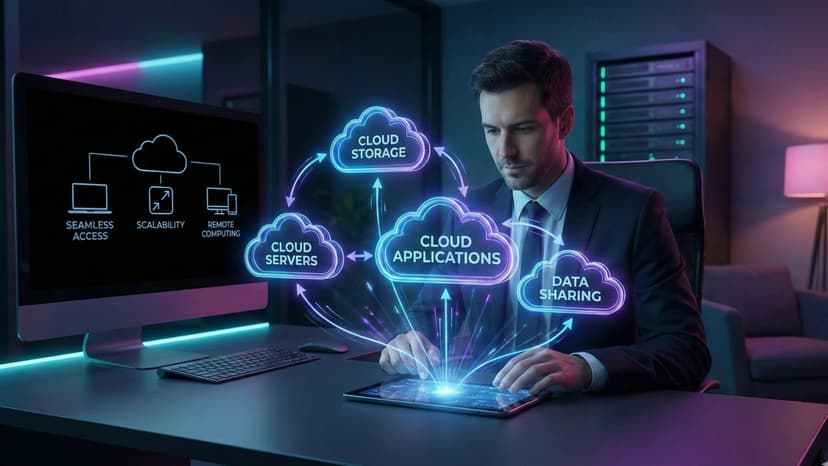
Cloud computing delivers computing services such as storage, servers, and databases over the internet. It offers scalability, flexibility, and cost efficiency for businesses.

Cloud Service Models

Cloud Service Models

IaaS, PaaS, and SaaS are the main service models.

Benefits of Cloud

Benefits of Cloud

Reduces infrastructure cost and improves scalability.

Who this is for

This is for students, job seekers, and working learners who want a clearer picture of the skill before they pick a course.

How we help you after you read

We help you see a career direction before you pick a course. You can start from where you are, including if you are new to IT. In lab we practise the role, not only names of tools. After a course, we stay with you until you get a job, based on your performance.

Share this article

What you can do next

If this topic is the skill you want to practise, we can map it to a course. You can book counselling or open a course. A branch visit is not required outside Ahmedabad.

Questions about this article

Short answers about who this is for, what to do next, and how to talk to us.

  • Who should read What is Cloud Computing??

    This is for students, job seekers, and working learners who want a clearer picture of the skill before they pick a course. You can read it from anywhere. If you want lab practice next, we will help you pick a course.

  • Do I need to visit Ahmedabad to use this article?

    No. You can read from anywhere. Our centres are in Ahmedabad only — Maninagar, Nikol, and Vatva. A visit is optional and is not required outside Ahmedabad.

  • Is this article the same as joining a CEC course?

    No. We wrote this so you can understand the topic in plain language. A course is where you practise in lab, build work, and get feedback.

  • What should I do after I finish reading?

    If this is the skill you want to practise, book counselling or open a related course. For this topic, you can start with CCC with AI, AI Application Development, ASP.NET Development, or browse all courses.

  • Can a parent use this to decide for a child?

    Yes. You can read it together and then book counselling. School children of any grade start with counselling first — we do not enrol a child into a full career track without that conversation.

  • Can I start this skill after 10th or 12th if I did not pass?

    After 10th or 12th, anyone can apply — pass, not pass, or a gap year, and any stream. Counselling is where we match the skill in this article to a course you can actually attend.

  • Will reading this get me a job?

    No. An article is for understanding. If you join a course, complete practical work, and sit interviews, we stay with you until you get a job, based on your performance.

  • How do I talk to CEC about this topic?

    Book counselling and mention this article, call +91 75740 10176, WhatsApp the same number, or email info@cecyours.org. You do not need to visit a branch to start.

More to Explore

Cloud Computing Explained in Simple Terms
Dec 15, 2025

Cloud Computing Explained in Simple Terms

Cloud Computing Explained in Simple Terms

Cloud computing is a technology that allows individuals and businesses to store, manage, and process data over the internet instead of on local computers or servers. In simple terms, it’s like renting computing resources from a service provider rather than owning physical hardware.

1. How Cloud Computing Works

  • Remote Servers: Data and applications are hosted on powerful remote servers.

  • Internet Access: Users can access files, software, and services from anywhere using the internet.

  • Resource Sharing: Multiple users can share the same computing resources efficiently.

Example: Google Drive lets you store files online, access them from any device, and collaborate with others in real time.

2. Key Characteristics of Cloud Computing

  • On-Demand Access: Users can use computing resources whenever needed without waiting for setup.

  • Scalability: Resources can be increased or decreased based on demand.

  • Cost Efficiency: Pay only for what you use, reducing infrastructure costs.

  • Reliability: Cloud providers offer backup, redundancy, and uptime guarantees.

3. Types of Cloud Computing

  1. Public Cloud: Services hosted by third-party providers (e.g., AWS, Azure, Google Cloud). Accessible to anyone.

  2. Private Cloud: Dedicated infrastructure for a single organization. Offers more control and security.

  3. Hybrid Cloud: Combines public and private clouds for flexibility and scalability.

4. Benefits of Cloud Computing

  • Accessibility: Access applications and data from anywhere, anytime.

  • Collaboration: Teams can work together in real-time.

  • Automatic Updates: Software and security updates are managed by the provider.

  • Disaster Recovery: Data backup and recovery are simpler and more reliable.

5. Real-World Examples

  • Streaming Services: Netflix and Spotify store content in the cloud for global access.

  • Online Storage: Dropbox, Google Drive, and OneDrive allow file storage and sharing.

  • Business Applications: Salesforce and Microsoft 365 provide cloud-based productivity tools.

Read Article
Introduction to Computer Networks for Beginners
Dec 15, 2025

Introduction to Computer Networks for Beginners

Introduction to Computer Networks for Beginners

In today’s digital world, communication is at the heart of every technology. From sending a simple WhatsApp message to streaming high-definition videos or accessing cloud-based applications, everything depends on computer networks. Understanding computer networks is no longer optional—it is a foundational skill for students, IT professionals, developers, and businesses alike.

At Computer Education And Cybernetics, we believe in simplifying complex technical concepts and making them accessible to everyone. This beginner-friendly guide introduces computer networks from the ground up, helping you understand how devices connect, communicate, and share data efficiently.

What is a Computer Network?

A computer network is a collection of two or more computing devices connected together to share data, resources, and services. These devices can include computers, servers, smartphones, routers, switches, and IoT devices.

The connection between devices can be established using wired media (such as Ethernet cables and fiber optics) or wireless media (such as Wi-Fi, Bluetooth, and cellular networks).

In simple terms, whenever two devices exchange information, they form a network.

Why Are Computer Networks Important?

Computer networks play a vital role in both personal and professional environments. They enable fast communication, efficient data sharing, and centralized management of resources.

Key Benefits of Computer Networks

  • Faster communication between users

  • Resource sharing (printers, files, internet connection)

  • Centralized data storage and management

  • Cost efficiency for businesses

  • Scalability and flexibility

  • Improved collaboration and productivity

  • Secure access to data and services

Without networks, modern technologies such as cloud computing, online education, digital banking, and e-commerce would not exist.

Basic Components of a Computer Network

To understand how networks work, it is important to know their core components.

1. Nodes (Devices)

Nodes are the devices connected to a network. Examples include:

  • Computers and laptops

  • Mobile phones and tablets

  • Servers

  • Printers

  • IoT devices

Each node can send, receive, or forward data.

2. Transmission Media

Transmission media refers to the path through which data travels.

Wired Media

  • Ethernet cables

  • Coaxial cables

  • Fiber optic cables

Wireless Media

  • Wi-Fi

  • Bluetooth

  • Infrared

  • Cellular networks (4G, 5G)

3. Networking Devices

These devices help manage and control data flow in a network.

  • Router – Connects multiple networks and routes data

  • Switch – Connects devices within the same network

  • Hub – Basic device that broadcasts data to all nodes

  • Modem – Connects a local network to the internet

  • Access Point – Provides wireless connectivity

4. Network Protocols

Protocols are rules that define how data is transmitted and received.

Common protocols include:

  • TCP/IP

  • HTTP / HTTPS

  • FTP

  • SMTP

  • DNS

Without protocols, devices would not understand each other.

Network Topologies

Network topology defines how devices are arranged and connected.

Common Topologies

  • Bus Topology

  • Star Topology

  • Ring Topology

  • Mesh Topology

  • Hybrid Topology

Each topology has its own advantages and use cases depending on cost, performance, and reliability.

How Data Travels in a Network

When you send data over a network:

  1. Data is divided into small packets

  2. Each packet contains sender and receiver information

  3. Packets travel through different paths

  4. Receiver reassembles packets into original data

This process ensures efficient and reliable communication even if some paths fail.

Introduction to the Internet

The Internet is a global network of interconnected computer networks. It allows billions of devices worldwide to communicate using standard protocols like TCP/IP.

Internet Services Include:

  • Email

  • Web browsing

  • Cloud computing

  • Online streaming

  • Social media

  • E-commerce

The internet is a perfect example of how powerful computer networks can be.

Network Security Basics

With connectivity comes responsibility. Network security protects data and systems from unauthorized access.

Common Security Measures

  • Firewalls

  • Antivirus software

  • Encryption

  • Secure passwords

  • Authentication and authorization

At Computer Education And Cybernetics, we emphasize the importance of secure networking practices to protect digital assets.

Career Opportunities in Computer Networking

Learning computer networks opens doors to various career paths:

  • Network Engineer

  • System Administrator

  • Cybersecurity Analyst

  • Cloud Engineer

  • IT Support Specialist

  • DevOps Engineer

Networking knowledge is a foundation for advanced fields like cloud computing, cybersecurity, and artificial intelligence infrastructure.

Why Learn Computer Networks with Computer Education And Cybernetics?

Computer Education And Cybernetics focuses on delivering:

  • Industry-oriented learning

  • Beginner-friendly explanations

  • Practical knowledge

  • Modern technology insights

  • Career-focused guidance

Read Article
Cloud Computing – The Backbone of Modern Applications
Dec 13, 2025

Cloud Computing – The Backbone of Modern Applications

Cloud computing enables businesses to store, manage, and process data on remote servers instead of local systems. It provides scalability, flexibility, and cost efficiency. Cloud platforms like AWS, Azure, and Google Cloud power modern web applications, mobile apps, and enterprise systems.

Read Article