A task on paper first
Open one page of the practice app and write the fields the request sends. Circle the one that identifies a person or a record. That circle is what you will check in the lab, before any scanner runs.
Ethical hacking here means one thing you can show: a weakness on a practice web app, confirmed with lab accounts, written so someone else can follow it. At Computer Education And Cybernetics (CEC) that lab is ~2 minutes from Maninagar Railway Station.
Or reach us directly
+91 75740 10176 · info@cecyours.org
The first lab, in four moves
You read one request, check one field the server should not trust, and write only what the page showed. A scan can suggest where to look. It cannot finish the sentence for you.
Ethical hacking on a web application means testing a system you are allowed to touch, confirming one weakness by showing what another user could see or do, and writing a fix. A vulnerability scan is only a list of candidates. Computer Education And Cybernetics (CEC) teaches this on lab apps and does not assign tests on the public web.
A web page sends a method, a path and a few fields. Ethical hacking starts when you can point at one field — a user id, an order number — and say what the server should have checked.
On a lab range you are allowed to test, a scanner names possible weaknesses. Most lines have no effect a user would notice. Your job is to pick one line and confirm or reject it.
You use two lab accounts. You change one value you can see in the request. You stop when you can say what the second account could see or do. You do not keep going for drama.
Beside the web app, you look at which lab machines answer and which service you expected. A mismatch goes in the same note: what you expected, what responded, what should change.
A task on paper first
Open one page of the practice app and write the fields the request sends. Circle the one that identifies a person or a record. That circle is what you will check in the lab, before any scanner runs.
The scan is allowed because the app is ours. The skill is throwing away what you cannot show.
A scan of the practice app returns twelve lines. Eleven are headers and cookies with no story attached. One says the profile page may show another user’s record.
Logged in as the student account, you open your profile. The request carries a user id. That is the field the scanner was pointing at.
You replace that id with the lab’s other account and load the page again. The other account’s name appears. The server did not check that the id belonged to the student who was logged in.
Three lines: which page, whose record opened, and that the server should check ownership. You do not claim you changed data, and you do not repeat the test on any site outside the lab.
The other eleven lines stay in an appendix marked “not confirmed.” A long scan printout is not a finding. The one check you can show is the finding.
An honest limit: this lab makes you accurate on one practice app and a small lab network. Testing live companies, wireless networks you do not own, or a full-time hunting workload comes later, and only with permission.
Two changes are already in the lab. You still confirm the finding yourself, including when an assistant wrote the first draft of the note.
The same practice app now comes back with more “possible” lines, including summaries written by an assistant. The list grew. The number of issues you can actually show did not.
Profile pages, search boxes and file links are where ownership checks go missing. New tools do not remove the need to open the request and see the field.
Where an assistant still fails you
Web testing is shifting as scanners and assistants return longer lists of possible issues. The durable skill is confirming one weakness on a system you are allowed to test and writing only what you showed. CEC trains that check in the lab.
About 80% of our training is practical. Our 25+ full-time corporate trainers read the note the way a reviewer would: Did you stay on the lab app, and can someone else repeat the check?
School learners of any grade start with counseling. After 12th anyone can apply, from any stream. If web requests are new, we start with how a page sends an id before any scanner.
You stay on a practice app we control. A mentor sends the note back when the impact is vague or the test went outside the two accounts.
You run the lab scan, strike the lines you cannot show, and keep one confirmed item. Sorting that list is the lab, not a slideshow of tool names.
You can ask it to phrase the note. You then delete any sentence you cannot point to in the request you saved.
This lab is part of our Cyber Security & Ethical Hacking with AI course, not a separate product. The Ahmedabad ethical hacking page describes the wider path.
The note is the proof. We help you put it in a portfolio, then we stay with you for the job search.
How we stay with you
More detail on placement support at CEC.
CEC Maninagar is ~2 minutes from Maninagar Railway Station. BRTS, AMTS serve this side of the city. Visiting is optional — counseling by phone comes first.
From the station
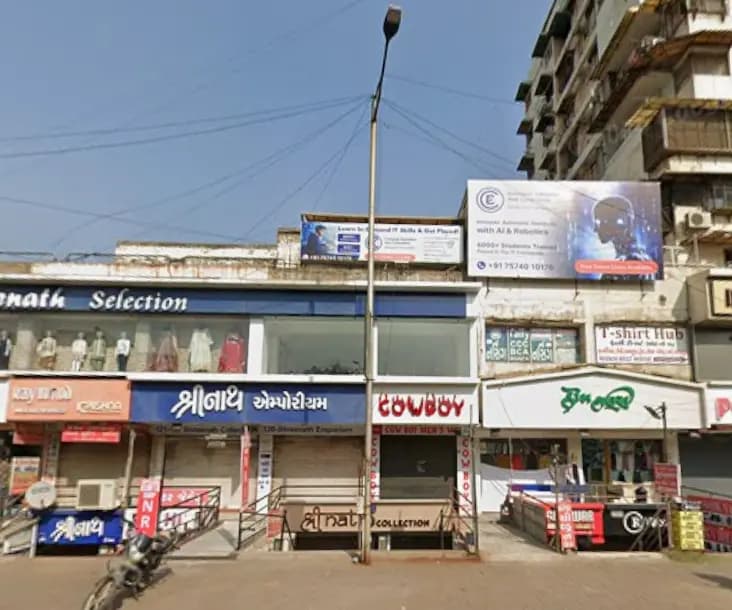
2nd floor, Gopal Tower, Computer Education And Cybernetics, near Maninagar Railway Station Road, Maninagar, Ahmedabad, Gujarat 380008. Hours: ask counseling to confirm before you travel. A typical week is listed below.
Learners also come from
Nayan Nathani
Software Faculty · 2+ years
Data Analytics, Cyber Security
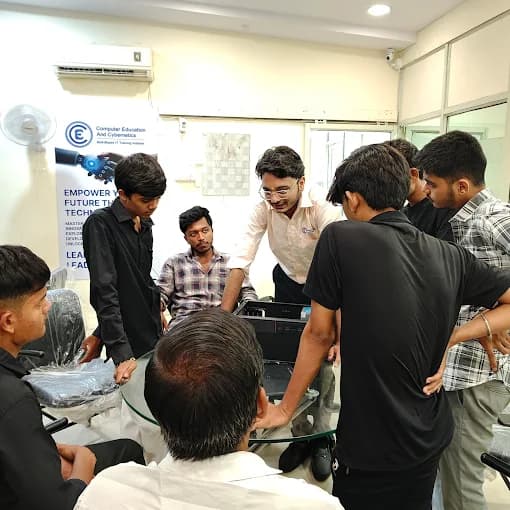
At Computer Education And Cybernetics (CEC) Maninagar, ethical hacking practice is confirming one web weakness on a lab app and writing the result. The centre is ~2 minutes from Maninagar Railway Station. Nayan Nathani, Software Faculty, teaches cyber security here. Visiting is optional.
This lab is at Maninagar. Nikol and Vatva are available when counseling places you there. Visiting any centre is optional.
~2 minutes from Maninagar Railway Station
2nd floor, Gopal Tower, Computer Education And Cybernetics, near Maninagar Railway Station Road, Maninagar, Ahmedabad, Gujarat 380008+91 75740 10176Near / opposite New DMart, Nikol (Satyam Plaza)
S -25/26, D-mart, Satyam Plaza, Raspan Cross Rd, opp. Suketu Residency, near Nikol, Ankur Chokadi, New India Colony, Nikol, Ahmedabad, Gujarat 382350+91 91049 37871Near Vatva Lake Garden; opposite Kashiben Hospital
1st Floor, Computer Education And Cybernetics, Opposite Kashiben Hospital Beside Khodiayar Vav, Near Vatva Lake Garden, Vinzol Crossing Rd, Deriya Para, Vatva, Ahmedabad, Gujarat 382440+91 91571 90839If you are unsure whether to start with the practice app or with networking, bring that to counseling.
You test only an application you were given permission to open. You look at one request, change one field with a lab account, and stop when you can say what another user could see or do. Then you write that result and a fix. At Computer Education And Cybernetics (CEC) that practice uses lab apps, not the public web.
A scan is a list of possible issues. A confirmed finding is one item you reproduced: the page, the field, what changed, and who is affected. Header warnings you cannot tie to a user impact stay unconfirmed. We mark the lab finished when the note matches the request, not when the scan is long.
No. Labs use applications and a network range CEC controls. Testing a site, an account, or a Wi-Fi network you were not given is not part of the course. Permission is the first rule, including when an assistant suggests a target.
Reading a web request, confirming one ownership or input weakness on a practice app, sorting a scan down to what you can show, and noting one mismatch on the lab network. You leave with a short write-up a mentor can repeat.
You need enough to say what a request and an address are. If that is new, counseling starts you on networking foundations and then this lab. College students and career changers who already use the web confidently can start with the practice app.
Scanners and assistants already return longer lists of possible issues. The work that stays valuable is confirming one item on a system you are allowed to test and writing only what you showed. A summary that invents impact does not replace that check.
You work on a practice app, sort one lab scan, and rewrite the note until a mentor can follow it. About 80% of training time is practical. Counseling decides whether you start with the request itself or with networking first. The practice sits inside our Cyber Security and Ethical Hacking with AI course.
Yes. After 12th anyone can apply, from any stream. School learners of any grade start with counseling. You do not need a prior hacking background. You do need to be willing to write what you saw, not only click a scan button.
CEC Maninagar is ~2 minutes from Maninagar Railway Station. BRTS, AMTS both serve the area. Learners also come from Kankaria, Isanpur, Ghodasar, Khokhra, Meghaninagar, Danilimda. The centre is at 2nd floor, Gopal Tower, Computer Education And Cybernetics, near Maninagar Railway Station Road, Maninagar, Ahmedabad, Gujarat 380008. Call +91 75740 10176 before you visit.
Yes. Counseling is by call, WhatsApp or email on +91 75740 10176 or info@cecyours.org. Visiting the lab is optional. If another Ahmedabad centre is easier, say so in counseling and we will place you where the same practice fits.
Tell us what you already know about web pages. We will start you on the practice app or on foundations — and the lab stays on systems we own.