LLM App Development Course in Vatva, Ahmedabad
Many LLM features that teams rely on every day do not answer customers on their own — they draft, show the facts behind the draft, and wait for a person to approve. You will understand how that loop is built in code, and we practise it with you on a real task until the corrections tell you it works. At Computer Education And Cybernetics (CEC) mentors review your correction log, not your best-looking draft.
Or reach us directly
+91 91571 90839 · info@cecyours.org
Draft
The model proposes wording for one task — never the final word that leaves your office.
Show the facts
Each claim carries the record it came from, so a reviewer can see what is backed and what is not.
Person approves
A named reviewer edits or confirms. Anything touching money, dates or promises needs that click.
Record the edit
The change is stored as a correction, which is the signal you use to fix the feature.
- You build
- One work screen
- Model writes
- Wording only
- Hands-on
- ~80%
- First step
- Counseling
What does an LLM feature look like when a person stays in the loop?
It is one screen with four moving parts: a structured draft, the facts behind it, an approval, and a stored correction. Each part is code you can test on its own.
A review-first LLM application treats the model's reply as a proposal rather than an answer. The application supplies the records, asks the model for structured output with named fields such as the draft, the facts it used and its open questions, shows both to a named reviewer, and stores whatever the reviewer changes before sending. After this practice you can build one such feature end to end with permissions, logging and an approval step, while fully automatic decisions need far more evidence and time. Computer Education And Cybernetics (CEC) teaches this loop as a lab project with mentor review.
The proposal, not the answer
A large language model (LLM) predicts likely text, so your application treats its reply as a proposal. The call returns structured output — named fields such as draft_text, used_facts, open_questions and needs_human — instead of one paragraph your screen prints blindly.
Field ownership decided in code
Before any prompt is written you decide, line by line, what your records must supply, what the model may word, and what a person must confirm. A delivery date belongs to a record; a polite opening line does not.
The review screen
The draft appears inside the screen the person already uses, with the supporting facts beside it. Unsupported sentences are marked so a reviewer reads them properly instead of skimming a confident paragraph.
The correction event
When the reviewer edits before sending, your code saves what changed and in which field. That record is ordinary database work, and it becomes the most honest quality measure the feature has.
Prompt and context in service of review
The instruction tells the model to word only what the supplied records support and to list open questions rather than guess. Context stays small: the task, the records, the house style.
Safeguards around the loop
API keys on the server, a per-user limit, a log line per request, no personal detail sent beyond what the task needs, and a refusal path when the records cannot answer.
Practice task
Take one message an office sends often — a quotation, a reminder, a complaint reply — and split every line into three columns: what a record must supply, what the model may word, what a person must confirm. What we do with you here: a mentor checks that table before you write a single prompt, because a number in the wrong column is the bug you will spend a week chasing later.
A worked example: the draft was approved, the date was wrong
Input, what you look at, the decision, what you write down. This failure is common precisely because nothing looked broken.
The feature
A practice enquiry desk for a small workshop. A staff member opens a customer enquiry and the app drafts a reply, returning draft_text, used_facts, open_questions and needs_human.
First failure
The drafts read well, so staff approve in two clicks. One customer receives a delivery date that the model inferred from the enquiry wording — the job sheet said something different.
What you look at
The correction log, grouped by field. Most edits sit on the date line. For that line used_facts is empty, meaning no record backed it. Average time between draft and approval is under five seconds.
The decision
Move the date out of the model's hands: read it from the job sheet and render it as its own read-only line. Mark any sentence with no entry in used_facts. Require a separate confirm on the date before the reply can be sent.
After the fix
The date comes from records, unsupported sentences are flagged before a reviewer reads them, and the correction log shows edits moving from facts to tone — a much safer kind of edit.
What you write down
The correction log before and after, the field ownership table of records, model and person, and the rule that no unsupported sentence may be sent. Mentors review that sheet with you, not the prettiest draft.
For the wording craft behind a draft instruction, see prompt engineering in Vatva. For timeouts and fallback screens around the call itself, see LLM app development in Nikol.
What should the model write, and what must your code supply?
Four decisions, made before the prompt. Most weak LLM features fail here rather than in the model.
A fixed rule beats a model call
If the office already has a rule — working hours, warranty period, a price list — write it as code or text and insert it. Asking a model to repeat a known fact adds cost and a chance of error with no gain.
A record lookup answers anything specific
Order numbers, dates and balances come from a query your code runs, and the rows go into the call as supplied facts. Retrieval over documents follows the same idea when the answer lives in a file instead of a table.
A tool call is for actions, with permission checked first
Booking a slot or raising a ticket runs in your code after it checks who is asking. The model may request the action; your application decides whether it is allowed and tells the reviewer what it is about to do.
The model words what is left
Tone, structure and summarising belong to the model. That is a smaller job than most first drafts assume, and it is where this kind of feature earns its keep.
What we do with you here: you defend each line of your ownership table to a mentor, then build the record lookup before the model call so the facts exist first. Allow-lists and argument checks for the action side are practised in depth in GenAI developer in Vatva.
How do you keep the feature trustworthy once staff use it daily?
You read the corrections. Nothing tells you more about a live LLM feature than the edits people make before they press send.
What we check with you after a feature goes live
- Corrections grouped by field each week, so you fix the field people keep editing instead of guessing
- A short check set of real tasks rerun whenever the prompt, records or model change
- Approval time watched alongside corrections — instant approvals usually mean the review screen is not showing enough
- Keys in server environment variables, per-user limits, and a log line with duration and status for every request
- A refusal path that says the records do not cover this, instead of producing a confident guess
The most useful quality signal for a live LLM feature is the reviewer's correction: the edit a person makes to the draft before sending it. Grouping those edits by field shows which part of the feature to fix, in a way a one-off demo never does, and a short set of real tasks is rerun whenever the prompt, the records or the model changes. Computer Education And Cybernetics (CEC) teaches learners to build that log into the feature from the first version rather than adding it after complaints.
If you would rather write the failing cases before any wiring exists, that is the lead of LLM app development in Maninagar.
Where is LLM app development heading?
The model keeps getting easier to call; deciding who is accountable for what it writes does not. What we do with you here: every project names the person who approves before it is considered finished.
Assistants moved out of the chat box into working screens
Drafts now appear inside the ticket, form or email a person is already handling. The engineering work shifted from building a chat page to deciding permissions, pre-filled fields and how an edit is captured.
Teams route easy requests to smaller, cheaper models
Routine drafting runs on a small model while harder cases go to a larger one. Deciding which requests are routine comes from reading your own logs and corrections, not from a vendor comparison chart.
Where AI coding helpers still fail on this work
- It writes a confident draft with no record behind the specific numbers in it
- It leaves every field editable, so no one can tell which line was checked
- It never suggests storing the reviewer's edit, so the feature cannot improve
LLM application work is moving into the screens people already use, with drafts appearing inside a ticket or form rather than a separate chat page, and teams now send routine requests to smaller, cheaper models while harder cases go to a larger one. The skill that holds its value is deciding what a correct output means for a particular workplace and keeping a named person accountable for anything that leaves the building. Computer Education And Cybernetics (CEC) trains learners to design that accountability into the feature rather than bolt it on.
How we teach LLM app development
Counseling first, then one real task carried all the way from an ownership table to a correction log that mentors read with you.
1. Counseling starts with the work, not the tool
We ask which task you want to improve and whether an LLM belongs in it at all. School learners of any grade start with counseling first, and after 10th or 12th anyone can apply.
2. You write the field ownership table first
Three columns — records supply, model words, person confirms — for one real task. Mentors push back when a number sits in the model column, because that is where features go wrong.
3. You build the draft and review screen together
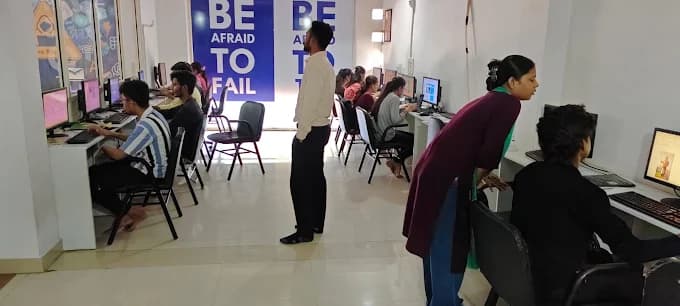
About 80% of training time is practical. The model call, the supporting facts, the approval click and the correction record are built as one feature, reviewed in small batches where your code is read aloud.
4. You leave with a correction log as proof
The before-and-after log, the ownership table, the check set and the repository. In an interview that log answers how you measured quality, which most candidates cannot.
The roster at this centre suits the work: the draft instruction and house style sit with the mentor who teaches prompt engineering, the screen and database around it with the full stack side, and reading the correction log with the data and AI side. All three are named further down this page. Reviews happen in small batches, so your code and your writing both get read.
At Computer Education And Cybernetics (CEC), LLM application training starts with a counseling session about the task you want to improve, then moves into lab work: you write the field ownership table, build the draft and review screen, store the reviewer's corrections and fix the field that keeps getting edited. You leave with a correction log, an ownership table and a working repository. We stay with you until you get a job, based on your performance in training, projects and interviews.
AI Development using Python (Job Oriented)
The catalogue course this application practice sits inside, with the Python and project work around it.
View courseGenerative AI & LLM Development
When counseling places model behaviour and generation beside the application wiring.
View coursePlacement support and certificates
A correction log is unusual in a fresher portfolio, and it shows an employer that you measured your own work.
How we stay with you
- We stay with you until you get a job, based on your performance in training, projects and interviews
- Our 5-step placement preparation covers your resume, portfolio, communication and mock interviews
- Mock interviews use your ownership table and correction log, so your answers stay concrete
- Course completion certificates are issued after you finish the practical requirements
Who is this LLM application path for?
Working professionals, career changers and college learners who want an AI feature a team can rely on during a normal working day.
Working professionals
Put a drafting assistant inside a process your office already runs, with approvals and an edit trail you can show a manager.
Career changers
Understanding how work actually flows is an advantage here. Counseling maps this application practice inside AI Development using Python.
College students
Build a review-first feature with a correction log — a project that answers interview questions about judgement, not only code.
Coming from a non-technical background or running a small office yourself? That experience helps here, because you already know which mistakes cost a customer. Counseling maps the foundation subjects first, and the citywide LLM app development page covers this path for learners still choosing between our centres.
Visiting CEC Vatva for LLM application counseling
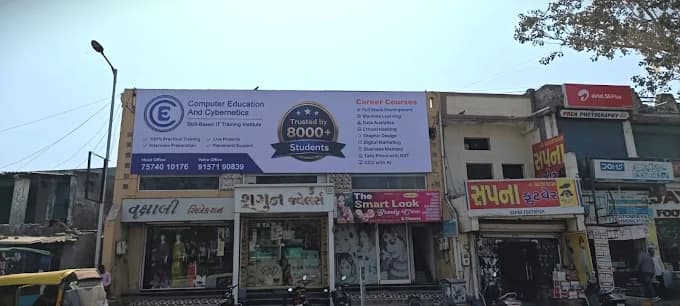
Near Vatva Lake Garden; opposite Kashiben Hospital. Accessible from industrial belt routes. Learners also come from Vatva, Ramol, Lambha, Isanpur, Narol. Hours: Mon – Sat: 8:00 AM – 8:15 PMSun: 10:00 AM – 6:00 PM.
Pranav Suthar
Senior Software Faculty · 4+ years
Digital Marketing · Graphic Design · Full Stack Development
Priya Shrivas
Senior Software Faculty · 3+ years
CCC · Tally Prime · Prompt Engineering
Suhani Kushwaha
Software Faculty · 2+ years
Data Analytics · Data Science · AI/ML
Full address and map: CEC Vatva location details. To see where AI learning starts at this centre, read the AI course in Vatva.
Our three centres in Ahmedabad
For classroom admission we warmly welcome you and your parents to visit — Vatva is shown first because this page is for learners choosing that centre. Please choose whichever centre is easier for you. Learning from outside Ahmedabad? We complete admission online after a counseling call.
CEC VatvaThis page
Near Vatva Lake Garden; opposite Kashiben Hospital
1st Floor, Computer Education And Cybernetics, Opposite Kashiben Hospital Beside Khodiayar Vav, Near Vatva Lake Garden, Vinzol Crossing Rd, Deriya Para, Vatva, Ahmedabad, Gujarat 382440+91 91571 90839CEC Maninagar
~2 minutes from Maninagar Railway Station
2nd floor, Gopal Tower, Computer Education And Cybernetics, near Maninagar Railway Station Road, Maninagar, Ahmedabad, Gujarat 380008+91 75740 10176CEC Nikol
Near / opposite New DMart, Nikol (Satyam Plaza)
S -25/26, D-mart, Satyam Plaza, Raspan Cross Rd, opp. Suketu Residency, near Nikol, Ankur Chokadi, New India Colony, Nikol, Ahmedabad, Gujarat 382350+91 91049 37871
Related guides
- LLM app development in AhmedabadCitywide view of this application path
- LLM app development in ManinagarSame course, led by evaluation cases
- LLM app development in NikolSame course, led by the request path
- GenAI developer in VatvaTool allow-lists and argument checks
- GenAI developer course in AhmedabadCitywide coding ladder for GenAI work
- AI course in VatvaWhere AI learning starts at this centre
- Book a counseling sessionCheck your base before application work
Questions about LLM app development
What is LLM app development?
LLM app development is building software around a large language model: your code gathers the task and the records, calls the model, reads the reply as named fields and decides what reaches a person. The model contributes wording. Everything that makes the feature usable — the facts, the permissions, the approval step and the log — is ordinary application code you write and test.
How does a review-first LLM feature work?
Your code supplies the records, the model returns a draft with the facts it used and any open questions, and the screen shows both to a named reviewer. The reviewer edits or confirms, and your code stores what changed. Nothing reaches a customer without that approval, and the stored corrections tell you which field to fix next.
Why not let the model send the reply directly?
Because a fluent sentence and a correct sentence look identical on screen. A model predicts likely wording, so a date or an amount it was never given can still read naturally. Keeping a person on anything involving money, dates or promises is a design decision, not a lack of confidence in the technology.
Is this the same course taught at our other centres?
It is the same path inside AI Development using Python, taught with a different starting point at each centre. Maninagar leads with evaluation cases written before the wiring, Nikol leads with the request path around the call, and this centre leads with the review loop — drafts, approvals and correction logs. Please choose whichever centre is easier for you.
Do I need strong programming before I start?
You need comfort with functions, files and error handling, and a willingness to work with a database. Counseling places foundations or prompt practice first when that base is missing. After 10th or 12th anyone can apply, and school learners of any grade start with counseling first.
How do you keep an LLM feature good after it goes live?
You read the corrections. Grouping edits by field each week shows exactly where the feature is weak, and a short check set of real tasks is rerun whenever the prompt, the records or the model changes. Approval speed matters too — instant approvals usually mean the review screen is hiding something the person needs to see.
Where is LLM app development heading?
Two changes are already visible. Assistants moved out of separate chat boxes into the screens people already work in, so permissions and edit tracking became the bulk of the work. And teams now route routine requests to smaller, cheaper models while harder cases go to a larger one. Deciding what a correct output means for a particular workplace stays a human judgement either way.
How does CEC help you learn LLM app development?
We start with counseling, then lab practice where about 80% of training time is hands-on: you write the field ownership table, build the draft and review screen, store corrections and fix the field that keeps getting edited. We have 25+ full-time corporate trainers across our three centres, and the mentors here read that work with you. Our 5-step placement preparation covers resume, portfolio, communication and mock interviews. We stay with you until you get a job, based on your performance in training, projects and interviews.
How do I reach the Vatva centre?
CEC Vatva is Near Vatva Lake Garden; opposite Kashiben Hospital. Accessible from industrial belt routes. Learners also come from Vatva, Ramol, Lambha, Isanpur, Narol. Hours are Mon – Sat: 8:00 AM – 8:15 PM,Sun: 10:00 AM – 6:00 PM, and a call to +91 91571 90839 before you come saves a wait.
Do I need to visit before classroom admission?
For classroom admission we warmly welcome you and your parents to visit — meet the mentors and staff, see the lab and how classes run, and ask your questions face to face. Call or WhatsApp +91 91571 90839 to book a time, and please choose whichever centre is easier for you. Learning from outside Ahmedabad? We are happy to guide you on a counseling call and complete your admission online.
Bring one message your office sends often — we will split the columns together
In counseling at CEC Vatva we look at the task first, decide honestly whether an LLM belongs in it, and map the foundations you need before application work begins.